 Mark
Mark
Intelligent, multilingual expense tracking through voice.
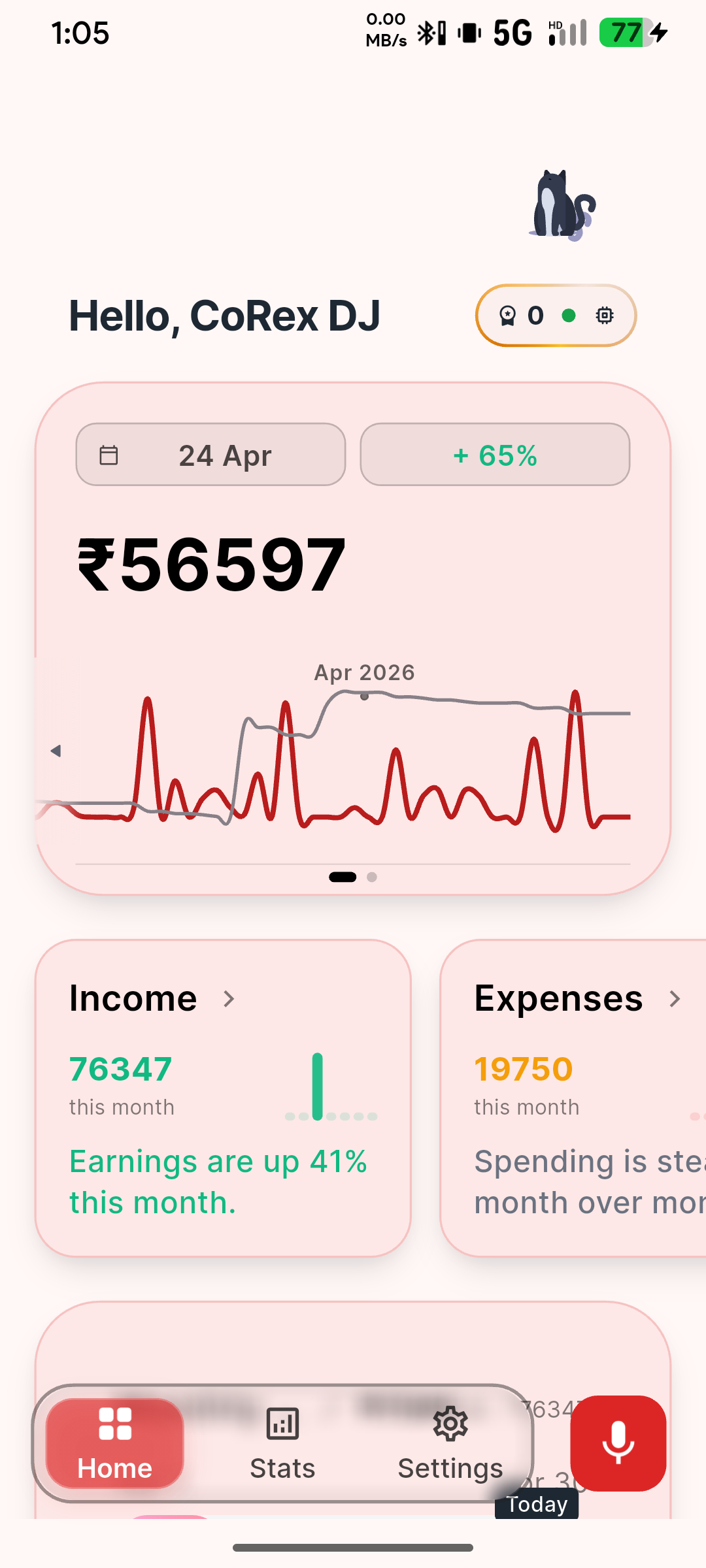
A Flutter-based expense tracking app that leverages AI-powered voice recognition and ML-first category classification to make expense logging effortless across 13 languages.
Powerful Features Built For Effortless Tracking
Experience a cutting-edge, local-first voice tracking architecture designed to automatically categorize your spending from natural speech.
Voice-First Input
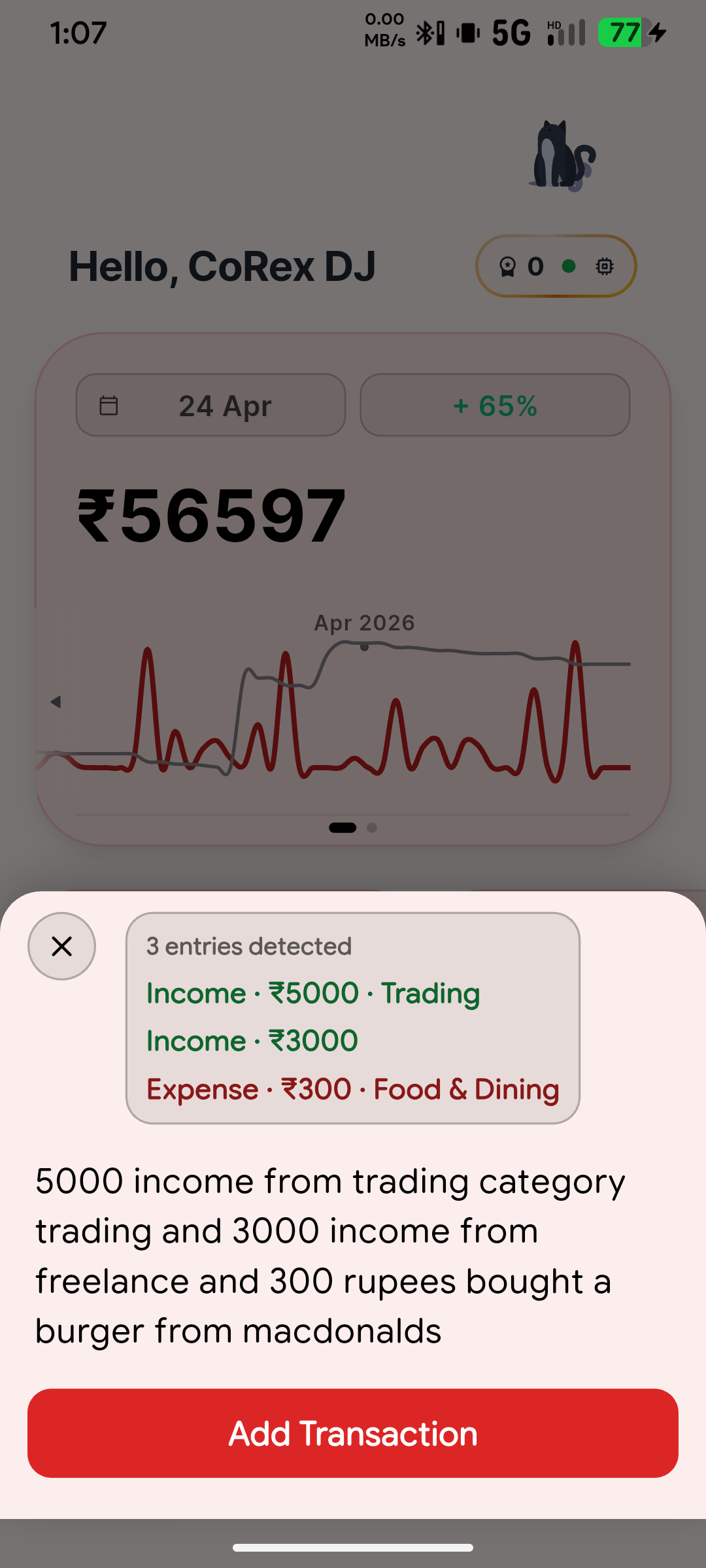
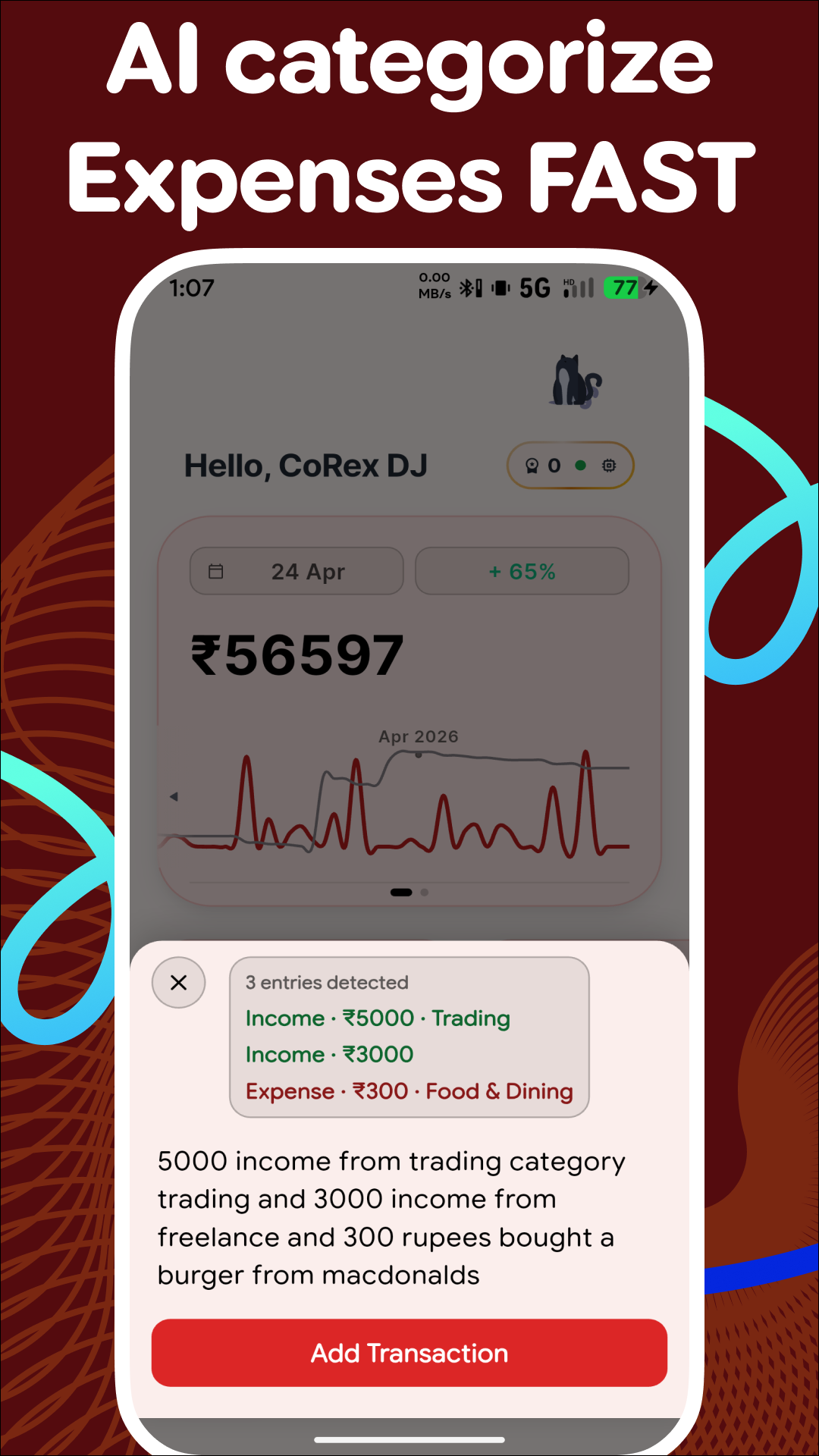
Features offline transcription via Whisper (English-only) and high-accuracy online parsing using Gemini Cloud Functions. Supports batch recording for logging multiple expenses in one natural session.
ML-Powered Classification
Uses an on-device voice model combined with advanced categorization and intelligent LLM fallback.
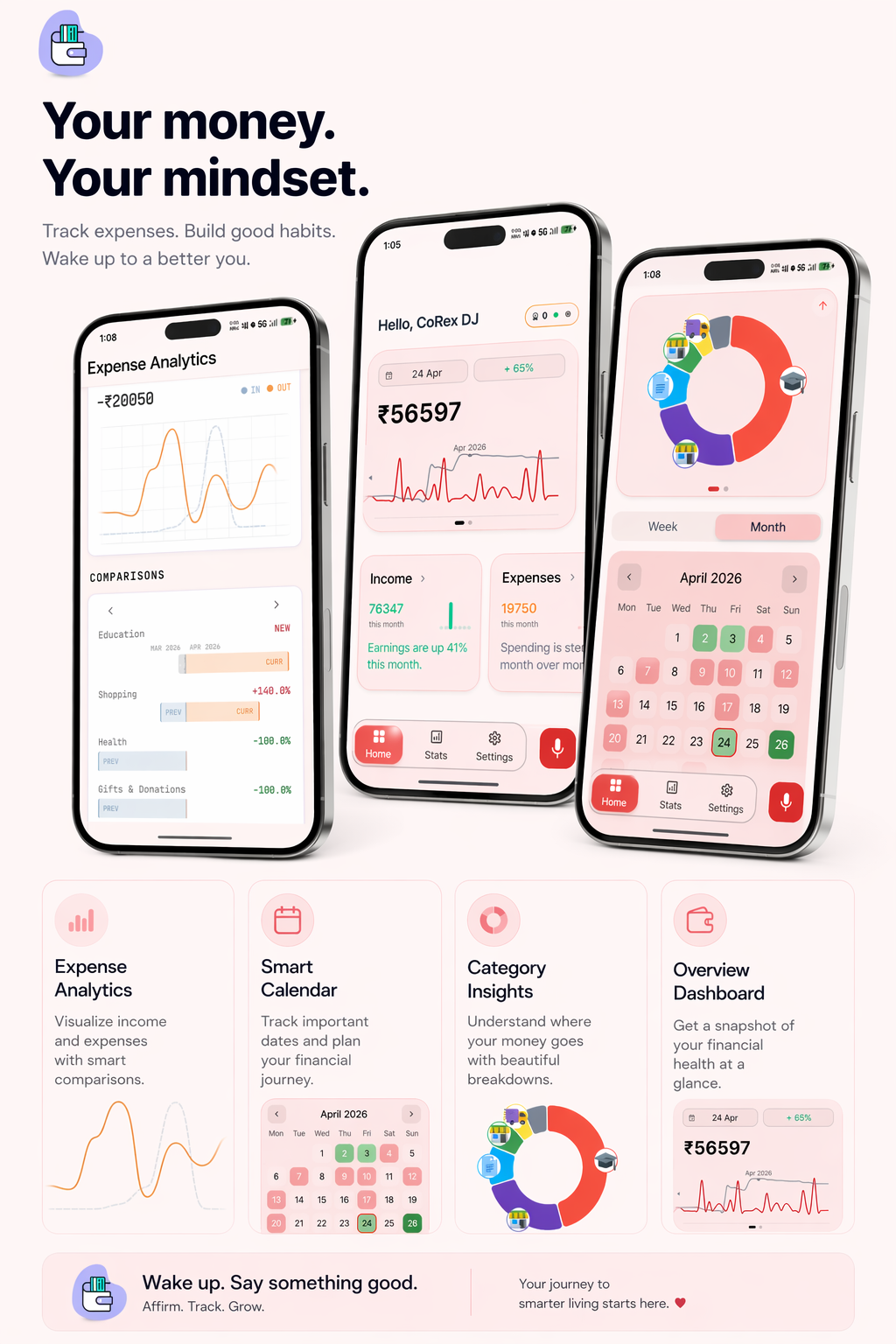
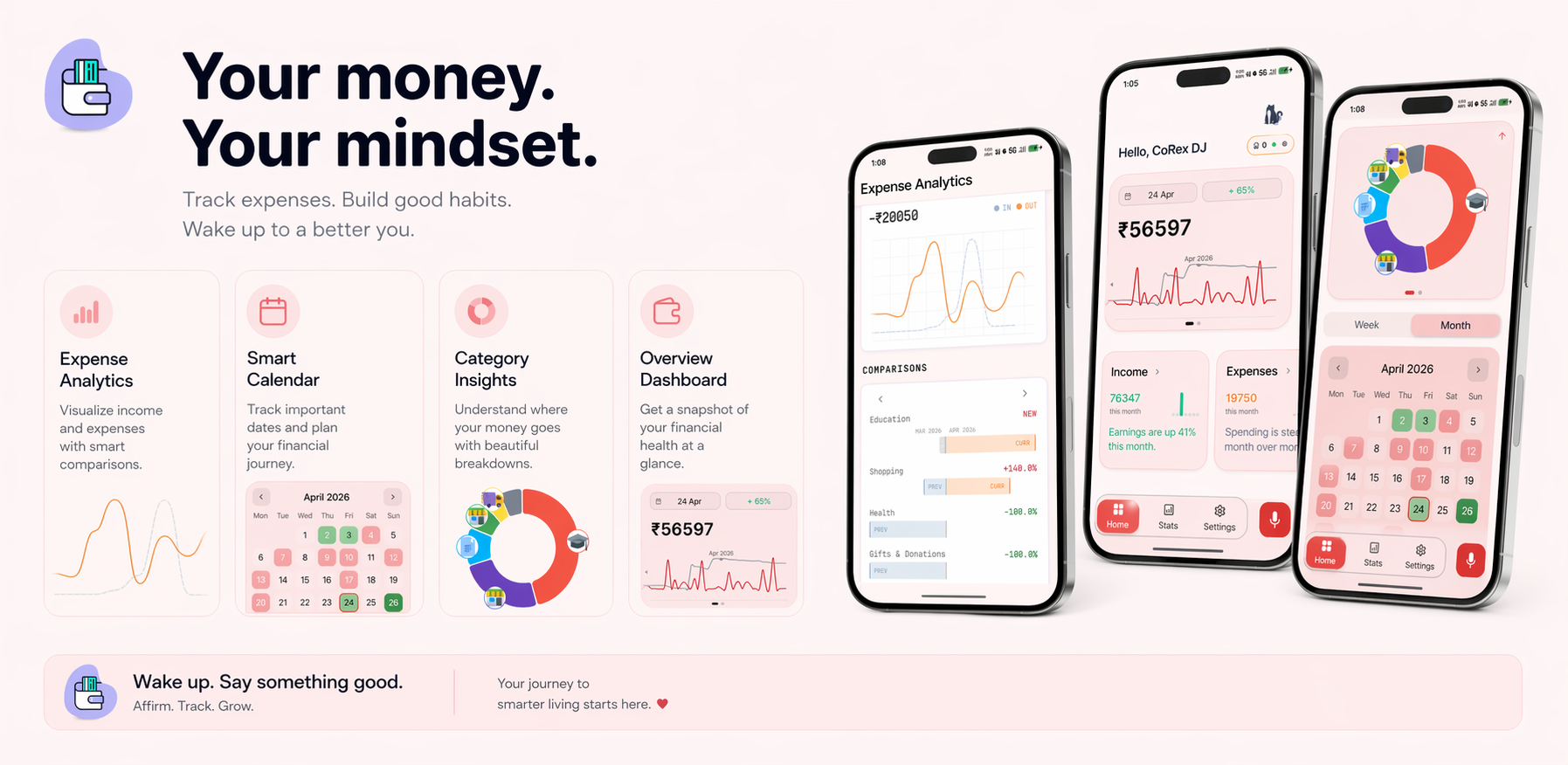
Analytics & Insights
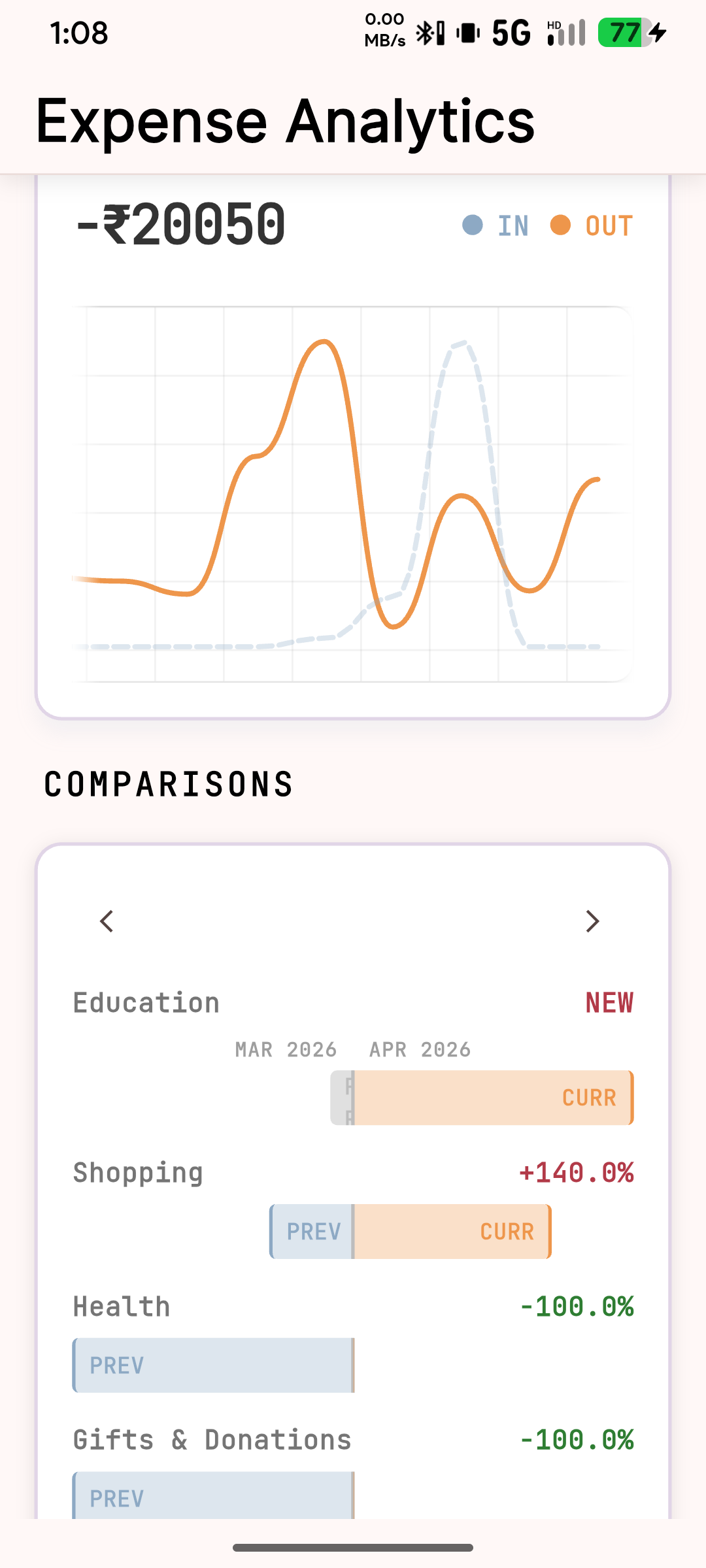
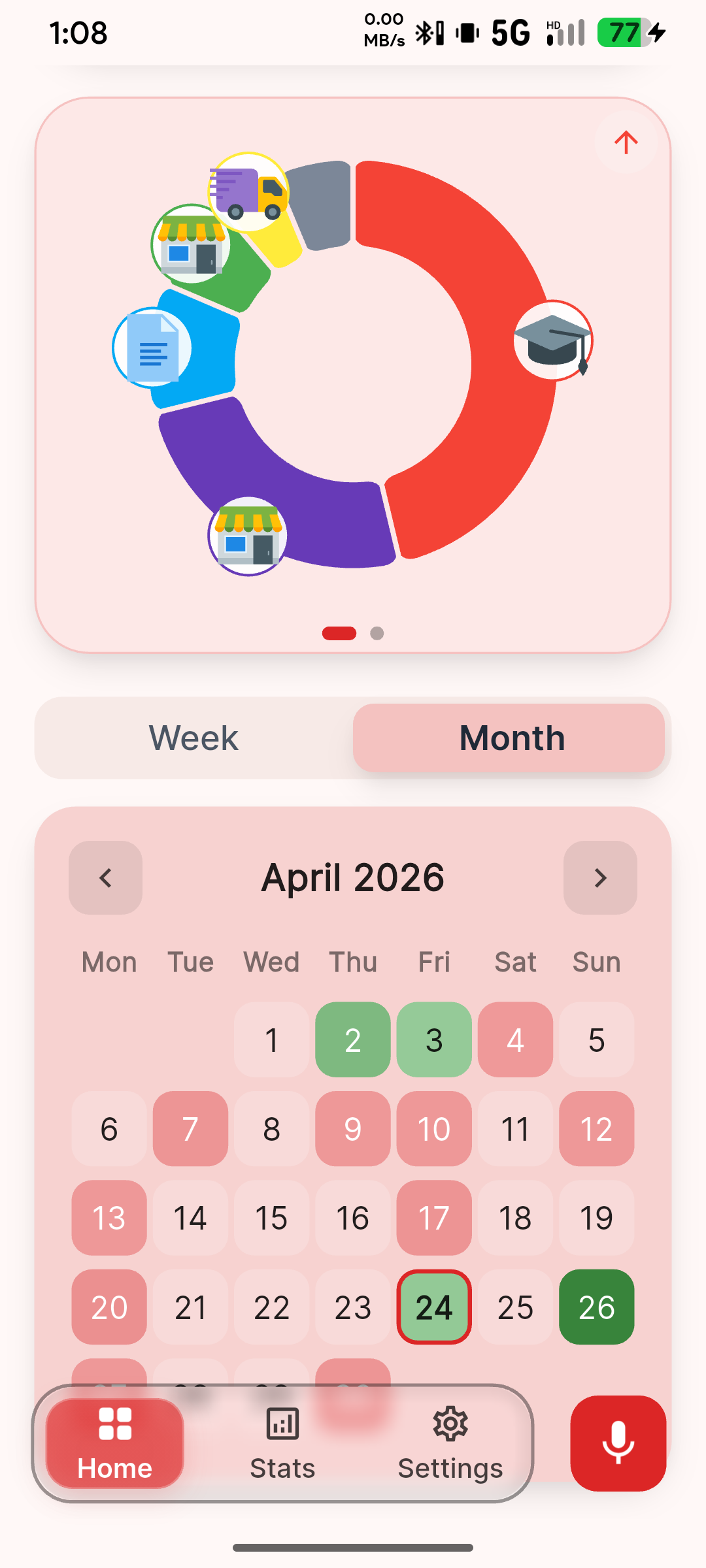
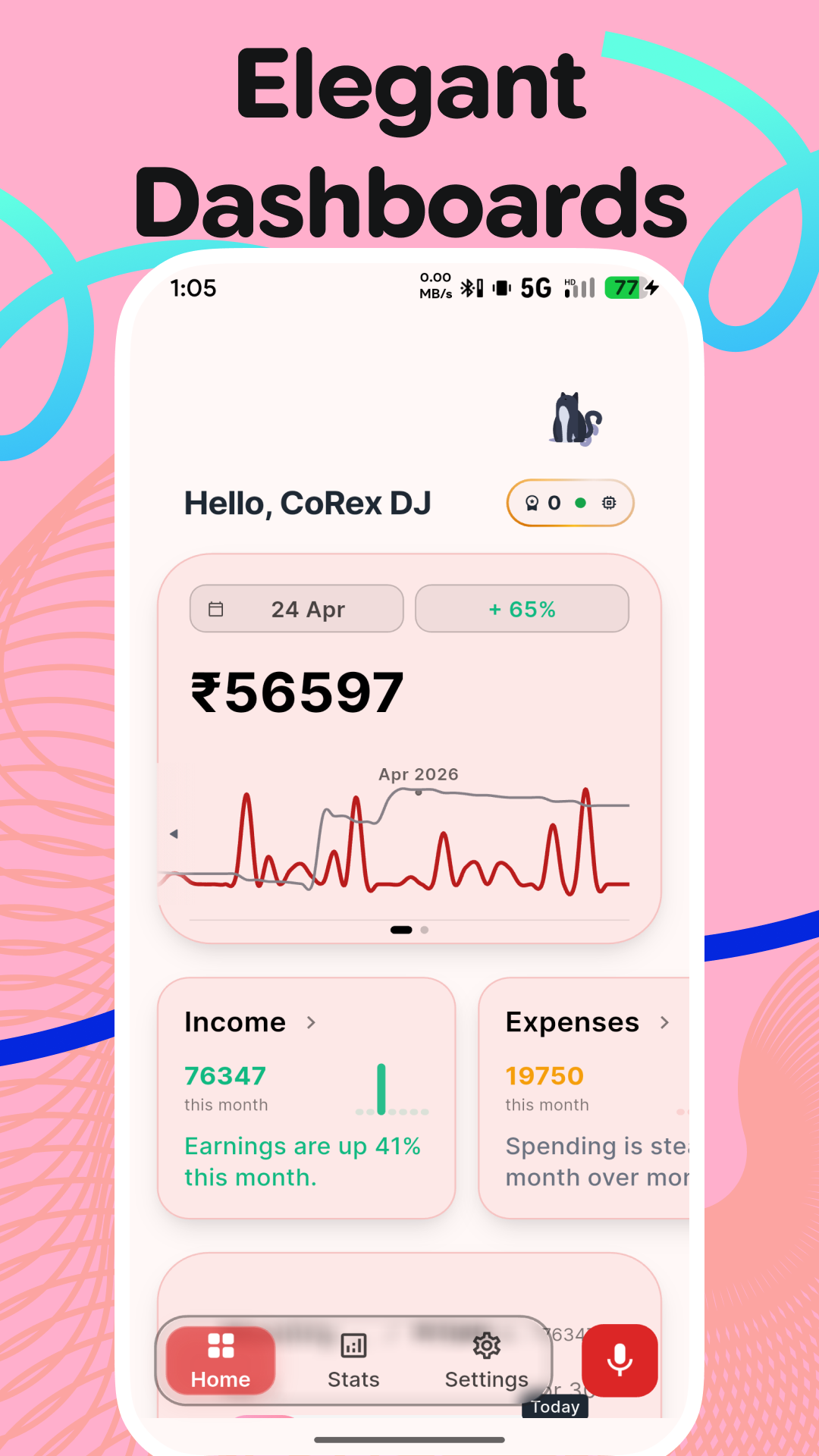
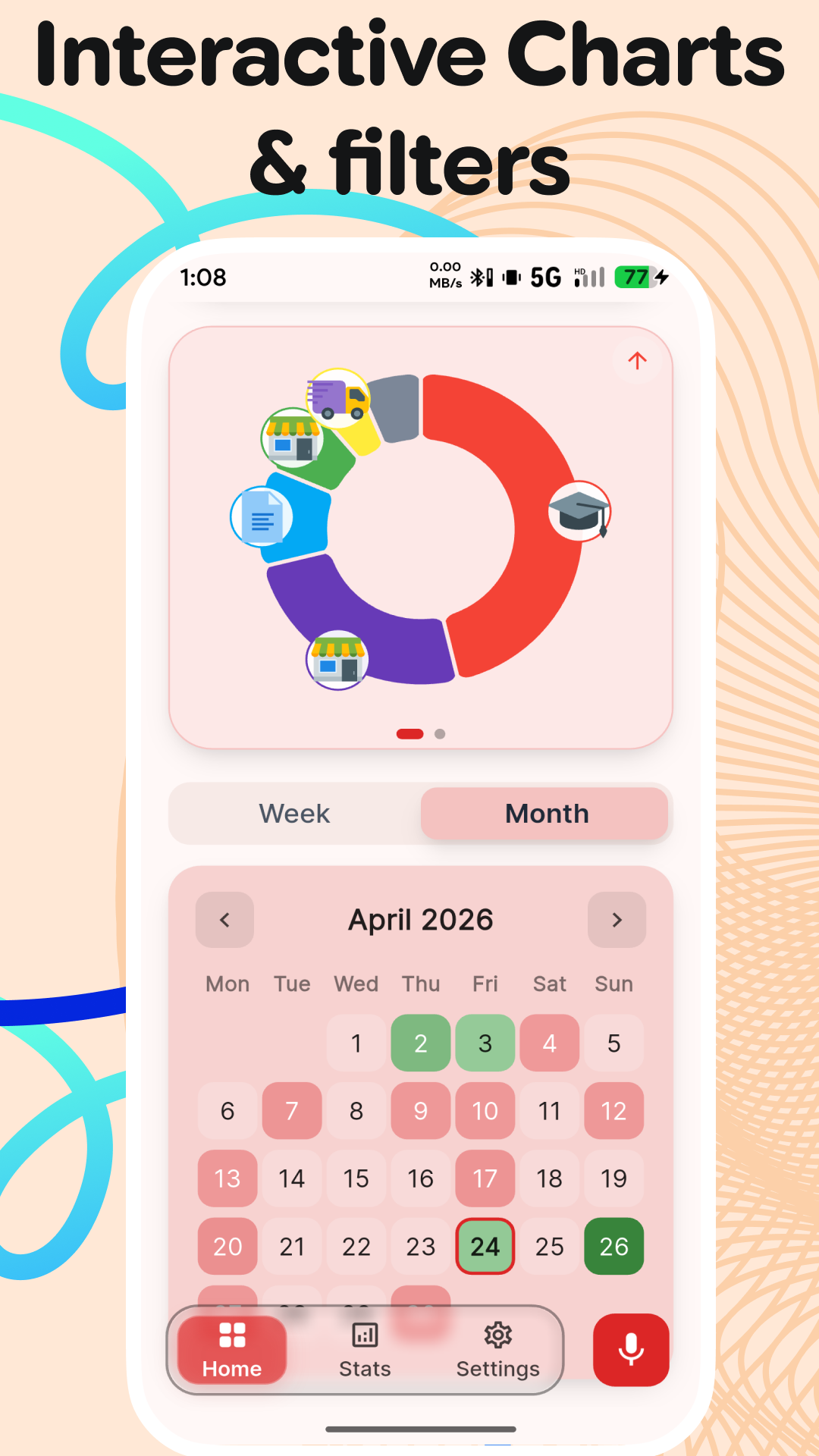
Generates detailed monthly spending trends, heatmaps, and category breakdowns. Tracks budget status, calculates daily limits, and displays real-time classification performance metrics.
Local-First Database
Uses local database for fast, offline-capable transaction storage. Securely authorize your Google account to back up SQLite datasets to Google Drive, view recent backup timelines, and restore data at any time.
Pace-Aware Budgets
Shows how fast you are spending compared to expectation. Computes a dynamic daily allowance based on remaining days, keeping you securely within your financial limits.
Debt & Bill Schedules
Manages borrowed and lent money with urgency indicators for due dates. Automatically calculates and tracks recurring subscriptions and regular utility payments.
Calendar History Ledger
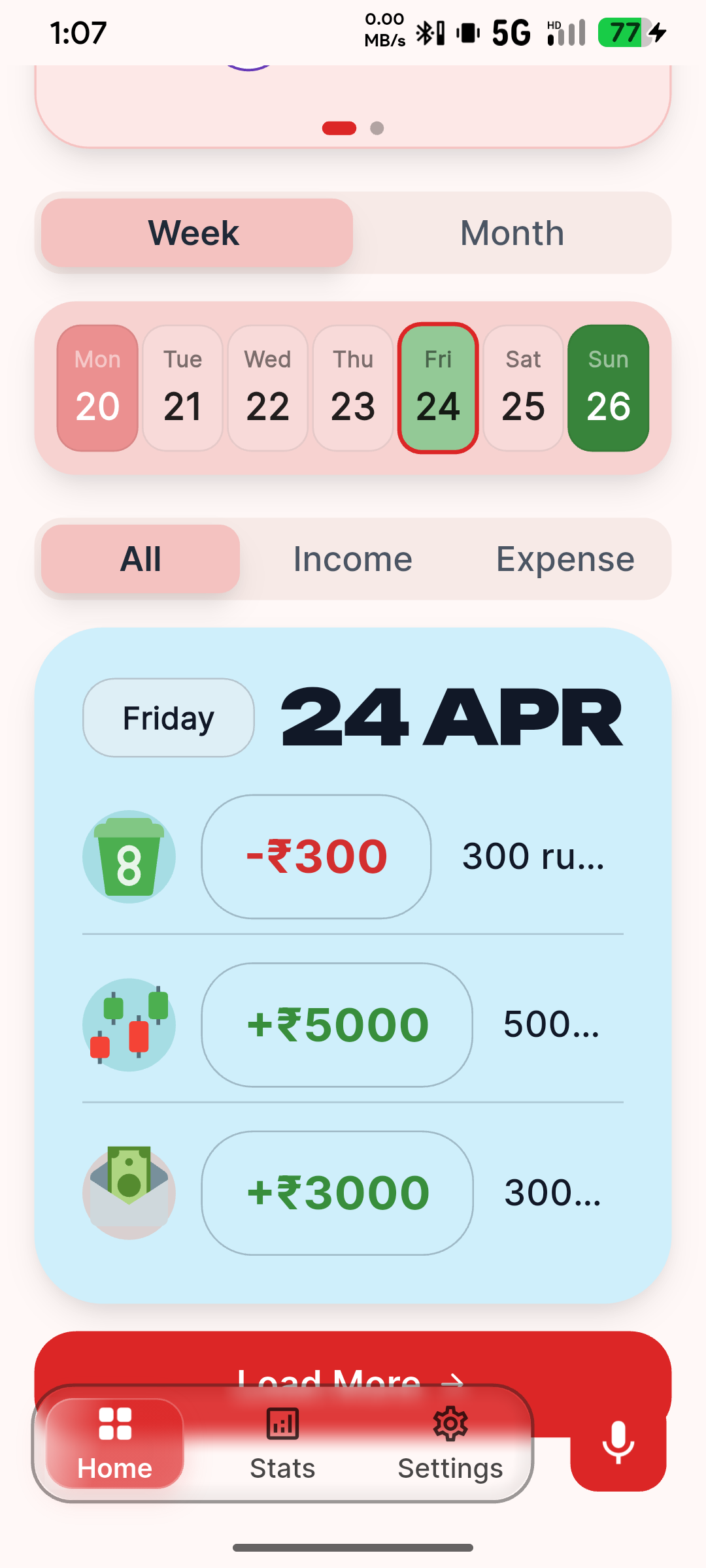
Browse a grouped day-by-day vertical ledger, use debounced 225ms sqlite search query filters (All, Income, Expense), month quick picker modals, and infinite scroll load.
IntelliStats Analytics Hub
Presents daily average volatility metrics, liquidity debt metrics, net outlay ratios, statistical central tendencies (mean, median, mode), weekly heatmaps, and MoM category growth matrices.
Layout & Speech Personalization
Configure dark/light/pure black visual settings, adjust custom categories list manager sheets, and select preferred speech recognition engines.
Take A Visual Tour
Browse through the screenshots of the Mark interface showing the voice flow, dashboard, budgets, and ML panels.
Log Expenses In 3 Easy Steps
Mark removes the complexity from budgeting. Here is how your daily voice tracking flows.
Speak Naturally
Simply tap the mic button and state your transaction in any of the 99 supported languages, e.g., "Paid six hundred rupees for dinner with friends" or "Cinquecento for groceries."
AI Recognition & Parsing
On-device Whisper (for English) and Gemini parse your spoken words, extract the exact currency and number values, and semantically classify the category in less than 1 microsecond.
Instantly Sync & Analyze
Drift ORM saves your transaction to local SQLite. Your dashboard updates immediately, displaying budget progress, spending heatmaps, and cash flow balances.
Find the Perfect Plan for You
Choose from our simple, transparent pricing models built with your data safety and accuracy needs in mind.
Perfect for on-device transcription users wanting an ad-free local experience.
- On-device database storage
- 100% Ad-Free interface
- Voice-First Input (Local)
- Supports BYOK (Gemini/Groq) for LLM features
Ultimate package for power users, freelancers, and small businesses.
- Unlimited Cloud Voice-to-Text
- Encrypted Auto Cloud Backup
- Advanced CSV Import/Export tools
- Support (Priority)
Long-term tracking with maximum value and priority support.
- Unlimited Cloud Voice-to-Text
- Encrypted Auto Cloud Backup
- Advanced CSV Import/Export tools
- Support (Priority)
Support & FAQ
Need help with permissions, translations, or cloud backup? Search or browse through our common support topics.
Still need help?
Can't find the answer you are looking for? Our dedicated team is available to help resolve technical glitches or feature issues.
dattatechom@gmail.comWe typically respond to support inquiries within 24 hours.
Contact Us
Have a feature request, bug report, or partnership opportunity? Fill out the contact form below, and our team will get back to you.
Headquarters
Raimohan Apartment, 3rd Floor, East Narshing Road, Silchar, Assam, India
Email Support
dattatechom@gmail.com